
This app allows you to manage the partitions on your hard drive(s) for free so that you can make the most of their available space. Among the supported operations, you can resize, move, copy, and merge your partitions as well as convert them to logical, change their labels, and set any of them active. As for the unallocated space on your disk, you can create a new partition, wipe the data it might contain or recover a previously existing partition.
One thing I don't like about this program's interface is that it includes too many advertising elements. Firstly, the initial window the program displays every time you run it just offers shortcuts to other tools published by this developer, and you need to click on a button to launch the real partition manager. Secondly, its toolbar includes several buttons whose only function is inviting you to download and install additional tools. Thirdly, some offered functions, like operating system migration and bootable disc creation, are not actually available on the free edition of the program, being you required to upgrade to the Pro or Server editions (both paid) in order to be able to use those functions.
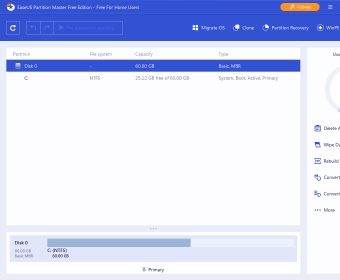
Anyway, once you are in the real program's interface, you will see your disks listed with their corresponding partitions and/or unallocated space, and you can select any of them and start applying the required operations. If they need to be executed sequentially, the program will create a "pending operations" list and will execute it in the right order once you press the "Apply" button. Also, you can easily undo or redo any of the configured operations, and refresh your disks/partitions list, thanks to the clear and self-descriptive buttons located on the program's toolbar.
It's worth mentioning that this program offers several complementary tools that you will hardly find in other partition managers. For example, you have a 4K alignment wizard which helps you optimize your hard disk(s) and solid state disk(s) performance. Also, you count on some cleanup tools, like the junk file and large files ones. The program is also capable of defragmenting your partitions, and finally, you also have the "Clone Disk Wizard", a tool that helps you migrate your existing partitions and data from one disk to another with ease. As a tip, this useful tool is not easily accessible through the program's toolbar or action panel, but it is "hidden" under the "Wizard" menu.
As you can see, EaseUS Partition Master Free is a comprehensive tool that provides you with an excellent set of partition management tools for free. However, there are many other related features, like dynamic volumes resizing and RAID-5 volumes repairing that are only available in the paid editions of the program. Anyway, this free edition is a very good starting point to evaluate the program's efficiency and power.






Comments (9)